Ask a language model to update a README, and it can suggest what to write. Give it tools and a program that runs them, and it can work with the actual files.
Follow one example: “Look through this project and update the README.” No code is needed to understand what happens next.
1. Connect a decision to an action
Start with three ingredients: a model, tools, and a record of the conversation. The program sends the model the task, relevant instructions, the current history, and descriptions of the tools it can request.
The model might ask to list the project directory. A tool request is a proposed action, not an action already performed. The program checks the request, executes the tool if allowed, and records its result.
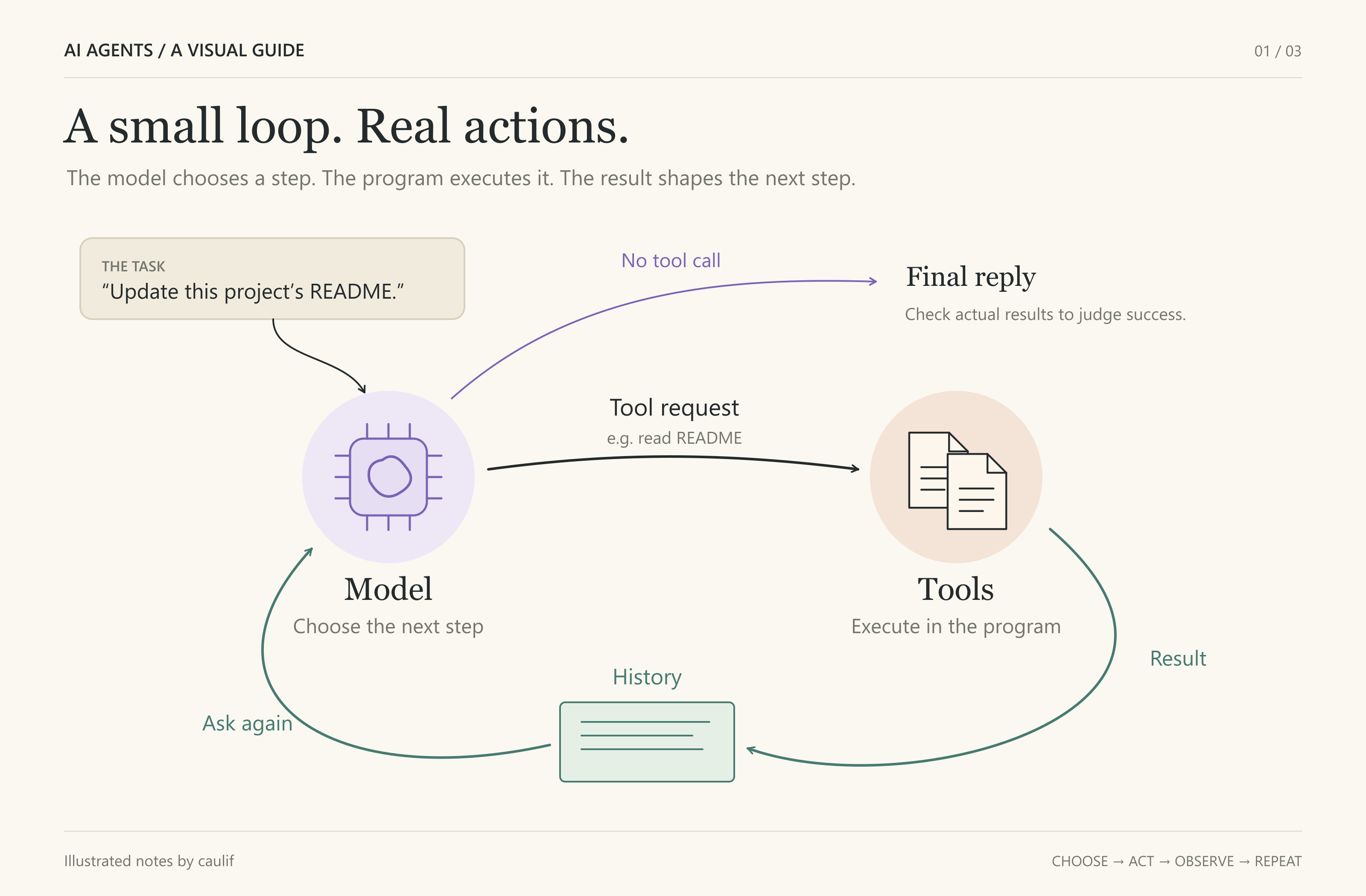
The result goes back to the model with the updated history. Now it can choose a next step based on what actually exists.
For this task, a possible sequence is: list files → read the README and relevant project files → edit the README → read it back to check the changes. The model chooses the steps as new information arrives; this sequence is an example, not a fixed script.
A failed tool call also supplies information. “File not found” may prompt a directory search instead of another attempt at the same path.
Repeat until the model has no more actions to request. Also allow the program to stop on cancellation, an error, or a step limit. A final reply is not proof of success: the changed file and checks provide the evidence.
2. Keep actions coordinated and interruptible
For a first agent, running tools one at a time is enough. If you later run them concurrently, protect shared resources. Two edits to the same file can interfere with each other.
One approach is a shared lock around each file’s write or edit operation. This prevents those protected operations from overlapping. It does not choose the correct edit order or cover changes made outside that mechanism.
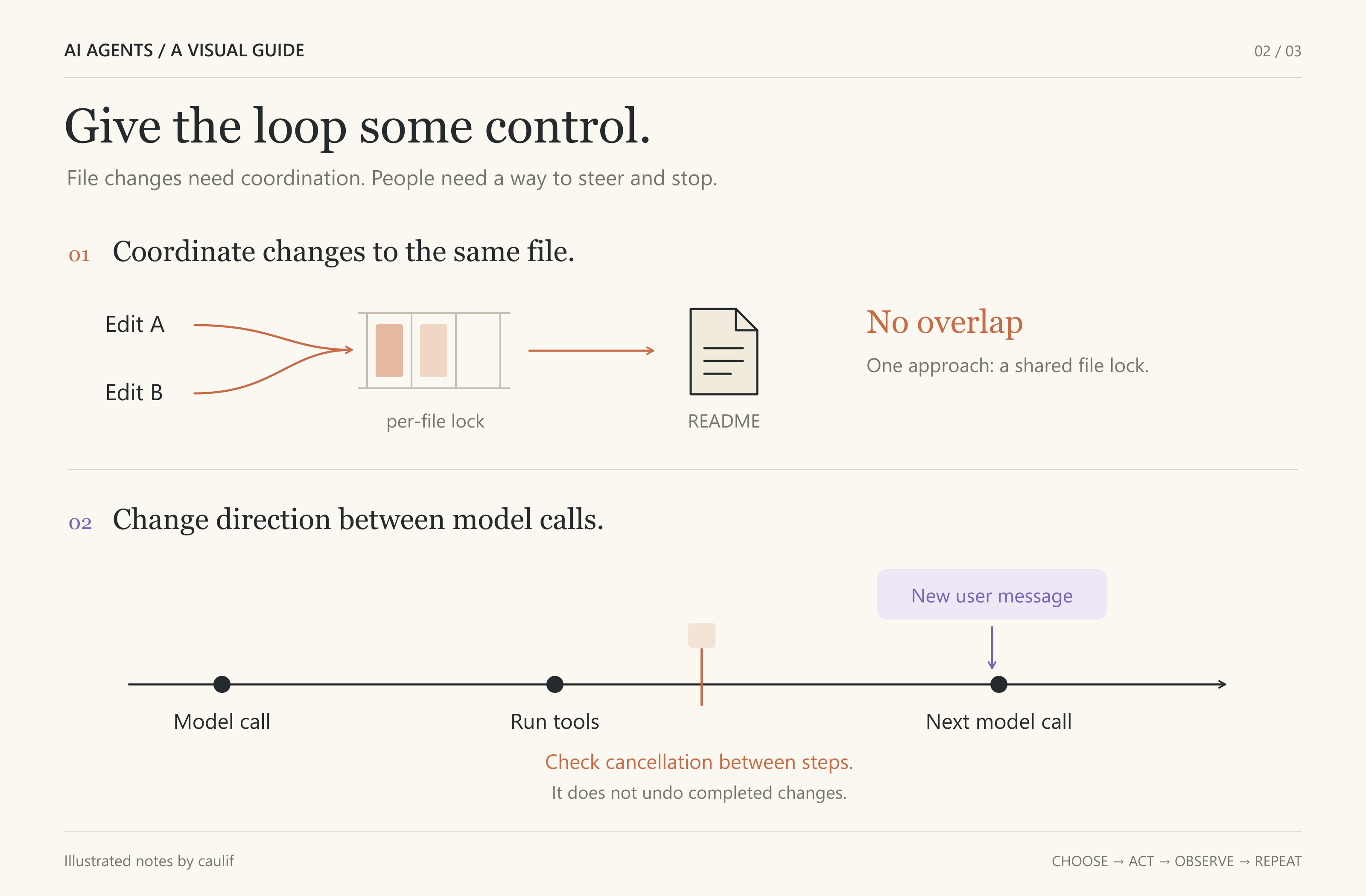
Suppose the user adds: “Only update the installation section.” Queue that instruction and include it before the next model call. It cannot change a request already in flight, so the agent may need to inspect or revise earlier work.
Stopping needs its own mechanism. Cancellation can be checked between steps; stopping an in-flight request or command requires support from the executor. Either way, stopping does not undo completed changes.
Keep tool requests paired with their results in history, including an error or cancellation result when appropriate. The next decision needs a consistent account of the work.
3. Give the next step enough context
In a simple request-based design, the program supplies the conversation history on each call. That history tells the model what it has learned and done.
Saving the history lets a later session reload the conversation. It does not restore a paused process or old file contents. If the project may have changed, inspect it again.
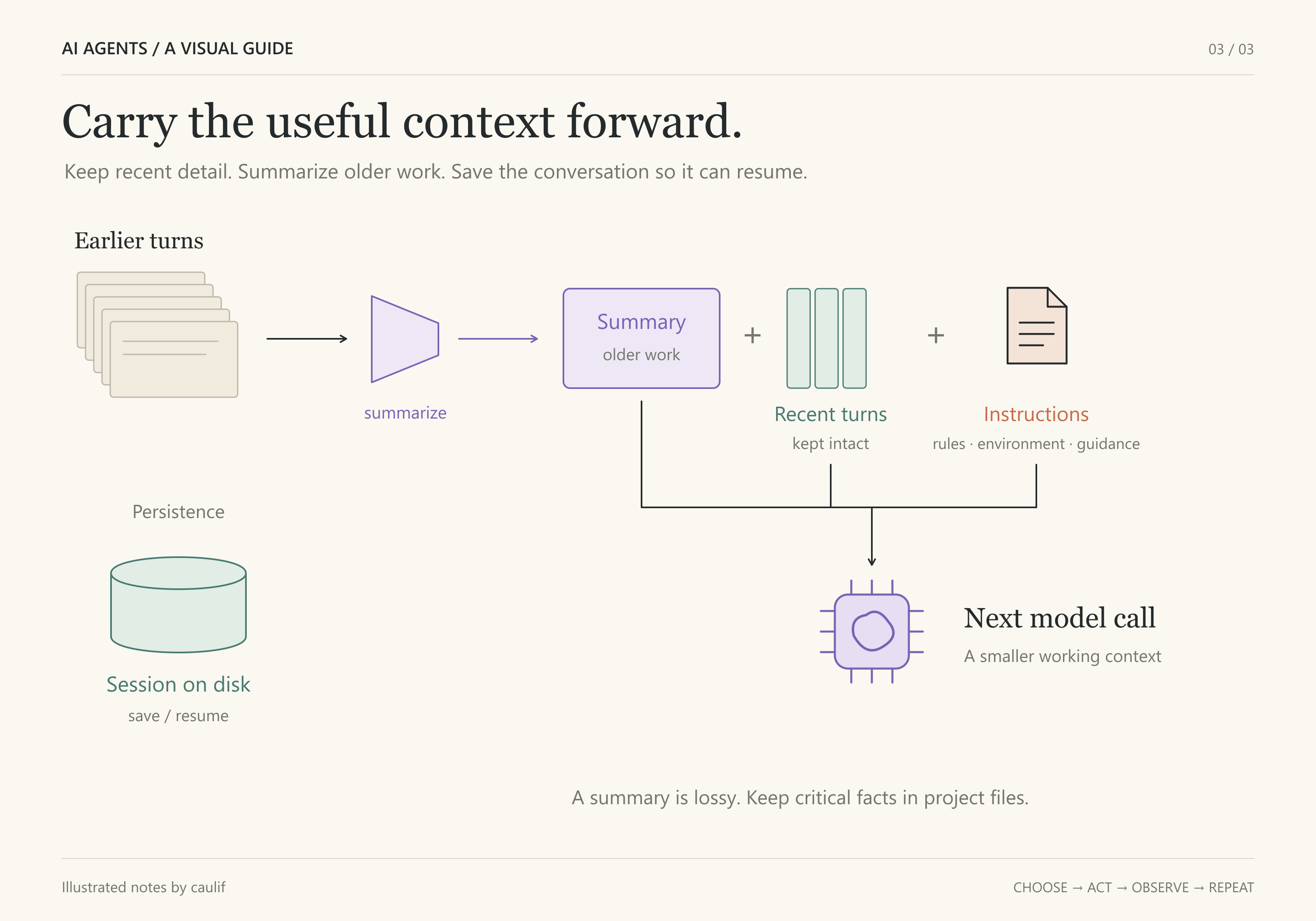
As history grows, it may exceed the model’s context window. One strategy is to summarize older work while preserving recent exchanges in detail. Keep retained tool requests and results together.
A useful summary carries the goal, constraints, exact paths, decisions, and unfinished work. It still loses information and may contain mistakes. Store critical facts in project files and recheck details when needed.
Instructions complete the picture: explain the tools, working environment, and task constraints. Reusable guidance can live in separate files and be included when relevant. Refresh changing facts instead of assuming they stay current.
Start small
Begin with a read-only task and one tool. Watch how its output changes the model’s next action. Then add editing, checks, interruption, and persistence as needed.
The core pattern stays the same: choose an action, execute it, observe the result, and decide again. Reliability comes from what surrounds that loop: clear tools, controlled execution, useful context, and evidence that the goal was met.
Want to see how these pieces fit together in code? I built mini-agent as a learning project using only the Python standard library, with tutorials in English and Chinese. Explore the implementation and try building your own: